Architecture
How the geospatial portfolio stack runs together.
The repos tell one system story in plain English: incoming data is checked, imagery can be processed into GIS-ready detections, accepted layers are loaded into spatial services, map clients are refreshed, and assistant tools operate through reviewed, explainable map actions.
Development Mode
Host-run app with optional integration services.
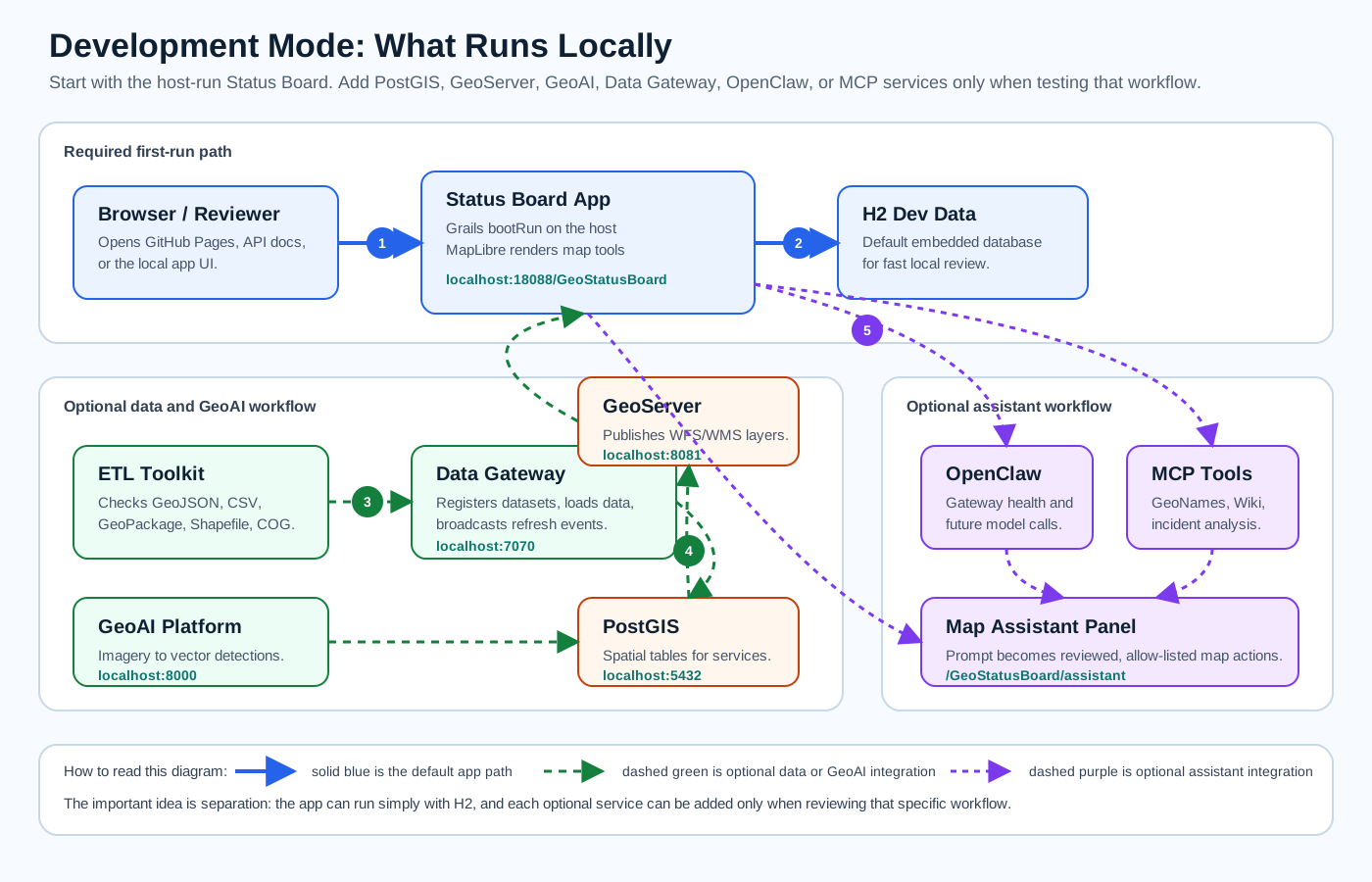
This is the easiest local development path. The Status Board runs from the Grails project on the host and uses H2 by default. PostGIS, GeoServer, GeoAI, Data Gateway, OpenClaw, and MCP services are optional services that are started only when that part of the workflow is being tested.
Docker Mode
Containerized service stacks with published local ports.
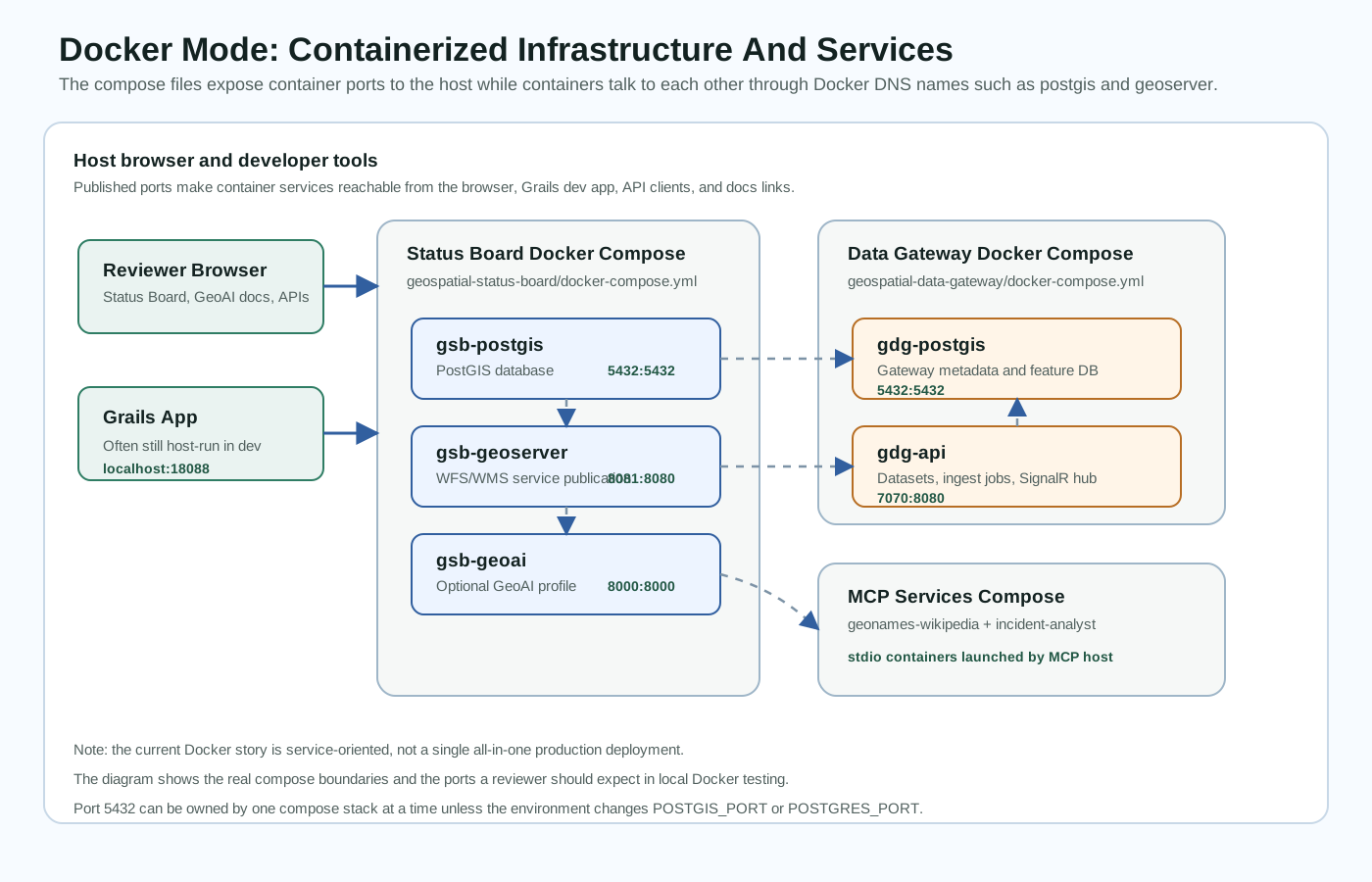
The Docker story is service-oriented: the Status Board compose stack owns PostGIS, GeoServer, optional GeoAI, and OpenClaw gateway services; the Data Gateway compose stack owns its API, worker, and database; and MCP services run as Docker-ready stdio tools. This keeps each repo independently runnable while showing how the pieces can be composed.
System Flow
How the stack works.
The goal is not to show isolated repos. The portfolio explains the decisions needed to move from customer data to a functioning operational map: data checks first, spatial services second, live map review third, and assistant support only through clear action boundaries.